
Solar Inverter Error Codes: What Each One Means
Short answer: Most inverter error codes fall into three buckets: grid voltage/frequency anomalies (usually a temporary utility issue or a loose AC connection), insulation/ground faults (often moisture in a connector), and internal hardware failures. You can safely reset roughly 60% of codes using the inverter’s DC disconnect procedure, but codes like Ground Fault or Arc Fault require a licensed electrician before re-energizing.
Key takeaways
- Grid over/under voltage and frequency codes are the most common; they often clear themselves when the utility stabilizes.
- Ground fault and arc fault codes are safety-critical—never reset these without a professional inspecting the DC wiring.
- Isolation resistance below 1 MΩ on a string inverter typically indicates water ingress in a connector or a damaged cable.
- Most inverters store the last 10–20 error events in an internal log; retrieve them before calling support.
- Resetting via the DC disconnect is the standard first step, but wait 5 minutes after disconnecting to let capacitors discharge.
- If the same code returns within 24 hours, it is not a transient—schedule a service visit.
What is the most common inverter error code and what does it mean?
The most common code you will see is a grid voltage or frequency anomaly, often displayed as Grid OV, Grid UV, Grid Freq, or Line Fail. This means the inverter detected AC voltage outside the acceptable window—typically 240V ±10% (216V–264V) or frequency outside 59.3–60.5 Hz per IEEE 1547 requirements—and disconnected from the grid to prevent islanding.
In most cases, the utility grid is momentarily unstable, or a neighbor’s large load is causing voltage sag. The inverter will automatically reconnect after a mandatory 5-minute wait (per UL 1741 anti-islanding rules). If the code persists for more than an hour, check your main panel breaker and the AC disconnect switch. If those are fine, the issue is likely on the utility side—call your provider.
How do I read the error code display on my inverter?
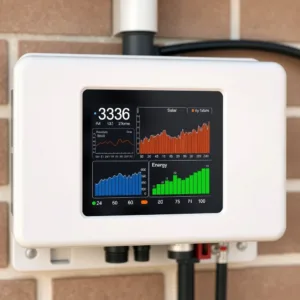
Most modern inverters use a combination of LED status lights and an alphanumeric LCD or a smartphone app. A solid green LED means normal operation; a blinking green light often indicates a grid fault; a solid red or blinking red LED points to a hardware or ground fault. The numeric code itself is usually two to four digits, like F01 or Code 3107.
Check your inverter’s quick-reference sticker on the side of the enclosure—it lists the most common codes for that specific model. For a full list, download the manual from the manufacturer’s site. Before you do anything else, write down the code, the time it occurred, and whether the LED was blinking or solid. This information is what a technician will ask for first.
Which error codes can I reset myself and which need a technician?
You can safely reset codes related to grid voltage, frequency, and temporary DC input issues—these are transient faults. Codes like Ground Fault, Arc Fault, Isolation Fault, or Hardware Failure are not resettable by a homeowner; they indicate a potentially dangerous condition in the DC wiring or the unit itself.
Here is the decision rule: if the code mentions ground, arc, insulation, or internal hardware, stop and call a licensed electrician. If it mentions grid, frequency, or DC overvoltage, you can attempt a reset. Never open the inverter enclosure yourself—DC voltages can exceed 600V and capacitors hold a lethal charge for minutes after shutdown.
| Code Category | Common Display | Homeowner Reset? | Action |
|---|---|---|---|
| Grid voltage | Grid OV, Grid UV | Yes | Wait 5 min; check AC breaker |
| Grid frequency | Grid Freq, Hz Fail | Yes | Wait; call utility if persistent |
| DC overvoltage | DC OV, PV OV | Yes | Check string voltage vs. limit |
| Ground fault | GFI, Ground Fault | No | Call electrician immediately |
| Arc fault | Arc Det, AFCI | No | Call electrician; do not reconnect |
| Isolation fault | ISO, Insulation | No | Call electrician; moisture likely |
| Hardware failure | HW Err, Internal | No | Contact manufacturer warranty |
What does a ground fault error code actually indicate?
A ground fault error means the inverter detected current flowing from the DC circuit to earth ground, which should never happen. This is a serious safety issue because it indicates damaged insulation, water ingress in a connector, or a pinched cable. The inverter shuts down to prevent electrical shock or fire.
The most common cause is moisture in an MC4 connector—especially after heavy rain or snow melt. A less common cause is a rodent chewing through a cable. Do not attempt to reset this code. A licensed electrician will use a megohmmeter to test each string’s insulation resistance; a reading below 1 MΩ confirms the fault location. They will then isolate the faulty string and repair or replace the damaged component.
Why does my inverter show an isolation resistance error?
Isolation resistance errors are essentially a more precise version of a ground fault. The inverter measures the resistance between the DC circuit and ground; a healthy system reads above 1 MΩ. When this drops below the threshold—typically 100 kΩ to 500 kΩ depending on the manufacturer—the inverter triggers an isolation fault.
The usual culprit is water in a junction box or a connector. This is why quality installations use waterproof enclosures and drip loops on cables. If you see this code, inspect the visible DC wiring for signs of moisture or damage, but do not touch any connectors. Call a technician; they will disconnect the array and test each string individually to find the failing circuit.
How do I perform a safe inverter reset?
To reset a transient fault, you must power-cycle the inverter completely. Start by turning off the AC disconnect switch, then the DC disconnect switch. Wait at least 5 minutes—this allows the DC bus capacitors to discharge below the dangerous threshold. Then turn the DC disconnect back on, followed by the AC disconnect.
Watch the display: it should show a startup sequence, then begin monitoring grid voltage. If the code clears and the inverter starts producing, the fault was transient. If the code reappears within 24 hours, the problem is persistent and requires a professional. For a detailed walkthrough specific to your unit, see our guide on how to reset solar inverter.
What do arc fault codes mean and why are they dangerous?
An arc fault code means the inverter’s AFCI (Arc Fault Circuit Interrupter) detected the signature of an electrical arc—a spark jumping across a gap in a connection. This is a leading cause of solar panel fires, so the inverter immediately shuts down and locks out until manually cleared by a technician.
Loose MC4 connectors, corroded terminals, or damaged cables cause arcs. The inverter detects the high-frequency noise signature of an arc and trips. Do not attempt to reset an arc fault code. A technician will inspect every DC connection, looking for discoloration or burn marks, and re-terminate any suspect connectors. This is one of the few codes that may require replacing the inverter if the arc occurred internally.
What is the difference between a warning and an error code?
A warning is informational—the inverter is still operating but outside ideal parameters. An error code means the inverter has shut down. Warnings often appear as a blinking yellow LED or a “W” prefix in the display, like W01: High Temperature. Errors use an “E” or “F” prefix, like E02: Ground Fault.
You can usually ignore warnings temporarily, but they indicate a developing problem. For example, a high-temperature warning in summer may just mean the inverter is working hard; if it persists into cooler months, check for blocked ventilation. An error code always requires action, even if that action is just waiting for a grid fault to clear.
How long should I wait before calling a technician?
For a grid-related code, wait 30 minutes after the grid stabilizes—most inverters auto-reconnect after 5 minutes. For any other code, wait through one reset attempt. If the code returns within 24 hours, call a technician. If it is a ground fault, arc fault, or hardware error, do not wait—call immediately.
Most manufacturers offer a 10-year warranty on the inverter itself, but labor is often not covered. A service call typically costs $150–$300 for diagnosis, plus parts. If the issue is a simple connector replacement, expect $200–$400 total. If the inverter needs replacement, factor in the unit cost plus $500–$1,000 for labor. Check your warranty terms before scheduling.
| Symptom | Likely Cause | Action | Typical Cost |
|---|---|---|---|
| Grid OV at midday | Utility voltage high | Wait; call utility if >1 hr | $0 |
| Ground fault after rain | Moisture in connector | Technician with megohmmeter | $200–$400 |
| Arc fault, no visible damage | Loose MC4 connection | Technician re-terminates | $150–$300 |
| Persistent DC OV | String overvoltage | Check string sizing | $0–$500 |
| Hardware error, no reset | Internal component failure | Warranty claim | $0–$1,000 labor |
What do the different LED colors and blinking patterns mean?
LED patterns are the first diagnostic tool. A solid green LED means the inverter is producing normally. A slow blinking green (1 blink per 2 seconds) often indicates the inverter is in standby mode, waiting for sufficient sunlight. A fast blinking green or amber indicates a grid fault. A solid red LED means a hardware or ground fault; a blinking red LED often indicates an arc fault.
Some inverters use a two-color LED—green and red—where the ratio of blinks encodes the error. For example, three red blinks followed by a pause might mean “grid overvoltage.” The exact pattern is model-specific, so check your manual. Taking a video of the LED pattern is often more useful than a photo for remote diagnosis.
Why does my inverter show a DC overvoltage error?
A DC overvoltage error means the voltage from your solar array exceeds the inverter’s maximum input voltage, typically 500V or 600V for residential string inverters. This usually happens on cold, sunny days when panel voltage rises—solar panels produce higher voltage at lower temperatures, roughly 0.3% per °C below 25°C.
This is a design flaw in the original string sizing. If you have a 600V inverter and a string that hits 580V on a warm day, a cold snap can push it over the limit. The fix is to reconfigure the strings—either remove a panel from the affected string or redistribute panels across MPPT inputs. See our solar string sizing guide for the calculation method. This is a job for a professional; reconfiguring strings involves working with live DC voltage.
Can a firmware update fix inverter error codes?
Yes, some error codes are caused by software bugs, not hardware failures. Manufacturers periodically release firmware updates that improve grid code compliance, fix communication glitches, and sometimes address false-positive fault detections. Check your inverter’s app or the manufacturer’s website for available updates.
However, do not assume a firmware update will fix a hardware error. If the code is Ground Fault or Arc Fault, a firmware update will not help—there is a physical problem. Firmware updates are most effective for communication errors, grid code compliance issues, and occasional false trips. Always note your current firmware version before updating so you can report it if the issue persists.
What is the difference between a string inverter and microinverter error?
String inverters report errors for the entire array—one code affects all panels on that string. Microinverters report per-panel errors, so a single panel failure shows up as a specific module error while the rest of the system continues producing. This is a key advantage of microinverters for troubleshooting.
With a string inverter, a ground fault on one panel shuts down the whole string. With microinverters, the faulty panel is isolated, and you can often identify it from the app without climbing on the roof. However, microinverters have their own failure modes—communication errors and connector issues—that are harder to diagnose remotely. For a deeper comparison, read our string inverter vs microinverter analysis.
How do I access the error log on my inverter?
Most inverters store the last 10–20 error events in an internal log. Access this via the LCD display menu—usually under a “History” or “Events” submenu—or through the manufacturer’s monitoring app. The log records the error code, the date and time, and often the duration of the fault.
This log is invaluable for diagnosing intermittent issues. If you see a pattern—like a grid fault every day at 2 PM—it points to a local load causing voltage sag. If you see a ground fault that only appears after rain, moisture ingress is the culprit. Screenshot the log before calling support; it saves time and helps the technician bring the right tools.
Isolation Resistance Threshold Calculator
Estimate whether your string’s insulation resistance is within safe limits. Enter the measured resistance and the system voltage.
Formula: leakage current (mA) = voltage (V) / resistance (kΩ). Safe threshold: leakage below 1 mA.
How often should I check my inverter for error codes?
Check your inverter's display or monitoring app at least once a month. Most modern systems have remote monitoring that alerts you to errors via email or push notification, but these alerts can fail if the Wi-Fi connection drops. A monthly manual check catches issues the alerts miss.
Also, check after major weather events—heavy rain, snow, or extreme heat. These conditions stress the system and often reveal latent issues like moisture ingress or thermal derating. If you notice a sudden drop in production without an error code, check our guide on solar inverter problems for diagnostic steps.
What should I do if the error code is not in the manual?
If you see a code that is not listed in your manual, do not guess. Take a photo of the display, note the exact code format, and contact the manufacturer's technical support. Most have a phone line or online chat staffed during business hours. Provide the model number, serial number, and firmware version.
Manufacturers often have an internal database of codes that are not in the public manual—these are typically reserved for firmware or communication issues. If support cannot resolve it remotely, they will schedule a warranty service visit. Do not attempt to clear an unknown code by resetting repeatedly; this can mask a developing fault.
Can extreme weather cause inverter error codes?
Yes. High temperatures can trigger a thermal derating warning or an over-temperature shutdown—most inverters derate above 113°F (45°C) and shut down above 140°F (60°C). Cold weather can cause DC overvoltage errors as panel voltage rises. Lightning strikes can cause surge-related hardware failures. Heavy rain often triggers ground faults from moisture ingress.
If you live in an area with extreme weather, ensure your inverter has adequate ventilation and is mounted in a shaded location. Check the manufacturer's operating temperature range—most are rated for -13°F to 140°F (-25°C to 60°C). If your inverter is in direct sun, consider adding a shade structure to reduce thermal stress.
What is the cost of diagnosing a persistent inverter error?
A standard service call for inverter diagnosis costs $150–$300, which includes the technician's time and basic testing. If they need to use a megohmmeter to test string insulation, add $50–$100. If the issue requires replacing a connector or cable, expect $200–$400 total. If the inverter itself needs replacement, the cost depends on the unit—typically $1,500–$3,000 for a residential string inverter, plus $500–$1,000 for labor.
Many manufacturers offer a 10-year warranty on the inverter, but labor is not always covered. Check your warranty terms before scheduling. If the inverter is out of warranty, it may be more cost-effective to replace it than to repair an older unit. For guidance on choosing a replacement, see our best solar inverter brands rankings.
How do I prevent common inverter error codes?
Prevention starts with proper installation. Ensure all DC connectors are fully seated and locked—MC4 connectors click when engaged. Use drip loops on cables to prevent water from running into connectors. Keep the inverter in a shaded, ventilated location. Schedule an annual inspection with a licensed electrician to check torque on terminals and test insulation resistance.
Regular maintenance is not just about cleaning panels. Our guide on do solar inverters need maintenance covers the specific checks that prevent faults. The most common preventable issue is loose AC connections—these cause arcing and heat buildup. A technician should re-torque AC terminals annually per NFPA 70B recommendations.
Which error codes appear most often on string inverters versus microinverters?
String inverters and microinverters fail in different ways because of their architecture. String inverters handle the full array voltage and current in one enclosure, so they see more DC arc, insulation, and thermal faults. Microinverters sit under each module and rarely see high DC bus voltages, so their faults are more often related to AC grid conditions or communication with the gateway.
| Error Code / Message | Typical String Inverter | Typical Microinverter | What It Indicates | First Action |
|---|---|---|---|---|
| DC Arc Fault (e.g., "Arc Fault Detected" or code 62 on SMA) | Yes | Rare | Series arc in DC wiring or a connector; NEC 690.11 requires arc-fault protection on rooftop DC circuits | Do not reset repeatedly; call a licensed electrician to inspect all DC connectors and combiner box terminations |
| Isolation Resistance Low (e.g., "Isolation Error" or code 13 on Fronius) | Yes | No | Moisture or damaged cable insulation reducing resistance between DC conductors and ground | Check for water ingress in junction boxes; if resistance is below 1 MΩ, call a technician |
| Grid Overvoltage (e.g., "Grid OV" or code 02 on Enphase) | Yes | Yes | Utility voltage exceeds IEEE 1547 limits (typically 264 V on a 240 V split-phase system) | Check local grid voltage with a multimeter at the AC disconnect; if high, wait for utility correction |
| Fan Failure (e.g., "Fan Error" on SolarEdge) | Yes | No | Cooling fan not spinning; inverter derates or shuts down to protect IGBTs | Clean external vents; if the fan is internal, call a technician |
| Communication Lost (e.g., "Comm Lost" on Enphase) | Sometimes | Yes | Gateway cannot reach the microinverter over powerline or Zigbee | Check the gateway LED; power-cycle the gateway only |
What do the error codes on a battery-based hybrid inverter mean?
Hybrid inverters (e.g., SolarEdge StorEdge, Enphase IQ Battery, SMA Sunny Boy Storage) add battery-specific fault codes that string-only inverters never show. These codes often involve DC bus voltage imbalance, battery communication, or temperature limits inside the battery enclosure. Never open a battery enclosure — DC bus voltages can exceed 400 V and fault currents are enormous.
| Error Code / Message | Common On | What It Indicates | Reset Possible? | Who Should Fix It |
|---|---|---|---|---|
| Battery Overvoltage (e.g., "Batt OV" or code 104) | SolarEdge StorEdge, SMA Sunny Boy Storage | Battery cell voltage exceeds manufacturer limit (typically >3.65 V/cell for LiFePO4); charging must stop immediately | No — do not reset; the BMS may be faulty | Certified installer only; battery terminals carry lethal DC voltage |
| Battery Undervoltage (e.g., "Batt UV" or code 105) | Enphase IQ Battery, LG Chem RESU | Battery state of charge dropped below 5%; inverter cannot draw more current | Yes, after grid power restores and battery charges above 10% | Homeowner can reset after confirming grid is stable |
| Battery Temperature High (e.g., "Batt Temp" or code 110) | All hybrid inverters | Cell temperature above 50°C (122°F); charging current is derated or halted | No — wait for cooling; check ambient temperature | If persistent, call installer; do not open battery enclosure |
| BMS Communication Fault (e.g., "BMS Comm" or code 120) | SolarEdge, SMA | Inverter cannot talk to the battery management system over CAN bus | Yes — power-cycle the inverter and battery via the battery disconnect switch | Homeowner can cycle the battery disconnect, but only if the switch is external |
| DC Bus Imbalance (e.g., "DC Bus" or code 130) | Hybrid inverters with two MPPT inputs | Voltage difference between battery DC bus and PV DC bus exceeds 50 V | No | Licensed electrician; internal capacitors hold charge after shutdown |
Which error codes are safe to clear with a simple power cycle?
Not every error code clears with a reset, and some resets can mask a recurring problem. The codes below are transient in nature — they clear when grid conditions stabilize or when a communication link re-establishes. If any of these codes returns more than three times in a week, stop resetting and call a technician.
| Error Code / Message | Typical Cause | Safe to Reset? | Reset Method | If It Recurs |
|---|---|---|---|---|
| Grid Frequency Out of Range (e.g., "Freq" or code 07) | Utility frequency outside 59.3–60.5 Hz per IEEE 1547 | Yes | Wait 5 minutes after grid stabilizes; inverter auto-reconnects | Call utility; if frequent, check with a grid monitor |
| Grid Voltage Out of Range (e.g., "OV" or "UV") | Utility voltage outside 211–264 V on 240 V systems | Yes | Wait 5 minutes; inverter auto-reconnects | Call utility; persistent overvoltage may need a transformer tap change |
| Communication Timeout (e.g., "Comm" or code 88) | Ethernet or Wi-Fi drop; gateway reboot | Yes | Power-cycle the gateway, not the inverter | Check router settings; consider wired Ethernet |
| Low Irradiance Shutdown (e.g., "No Sun" or code 12) | PV voltage below startup threshold (typically 100–150 V) | Yes — no action needed | Inverter wakes automatically at sunrise | Not an error; check for shading or soiling |
| Fan Speed Warning (e.g., "Fan Warn" or code 45) | Fan running slower than rated RPM but not stalled | Yes — once | Power-cycle inverter from the AC disconnect | If code returns within 24 hours, call technician |
Frequently Asked Questions
Sources
Related Posts
Leave a Comment
Your comment will be published after it has been approved. Please send comments that do not contain slang words.