
Fronius Inverter Troubleshooting
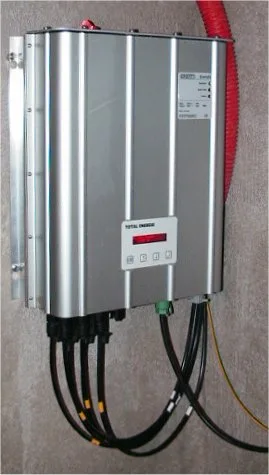
Short answer: Fronius inverter troubleshooting starts the same way for every fault: read the exact state code on the display or in the Fronius Solar.web app before doing anything else, because Fronius reports specific diagnostic codes rather than a generic error light. Only external checks and safe resets are do-it-yourself work; the enclosure carries high DC and AC voltage and is technician-only.
Fronius inverter troubleshooting usually starts with the same first step regardless of the specific fault: check the display or the Fronius Solar.web monitoring app for the exact state code before doing anything else, since Fronius inverters report fairly specific diagnostic codes rather than a single generic “error” light. This guide covers the most commonly reported issues, what they typically mean, and which ones are safe to attempt resetting yourself versus which need a qualified technician.
Safety note: solar inverters carry high DC and AC voltages internally. The steps below cover checking displays, app diagnostics, and safe external resets only – never open the inverter enclosure yourself. Internal service is technician-only work.
Table of Contents
- First Steps Before Anything Else
- Common Fronius State Codes and What They Mean
- Grid-Related Faults
- Communication and Monitoring Dropouts
- Reduced Output Without an Error Code
- When to Call a Technician
- Preventive Maintenance to Reduce Faults
- Fronius Product Line at a Glance
- Firmware Updates and Why They Matter
- How Fronius Compares to Other Brands
- Reading the Status LEDs
- Using Historical Data to Diagnose Issues
- Warranty and Fault Claims
- What to Have Ready Before Contacting Support
- Common Mistakes
- Frequently Asked Questions
First Steps Before Anything Else
Before troubleshooting any specific fault, note three things. Record the exact state code shown on the inverter display or in the Solar.web app. Note the time it started. Note whether it is constant or intermittent. Fronius groups its diagnostic codes into ranges: startup and state codes, grid-related codes, and internal fault codes. Have the exact number ready before contacting an installer or Fronius support. That speeds up diagnosis considerably compared to describing the symptom alone.
Common Fronius State Codes and What They Mean
| Code Range | General Category | Typical Cause |
|---|---|---|
| State 1xx | Startup / standby states | Normal operation – waiting for sufficient sunlight, or a scheduled startup delay after a grid event |
| State 3xx | DC-side / string faults | Low DC input, a wiring or connector issue, or a failed/underperforming panel or string |
| State 4xx | Grid-related faults | Grid voltage or frequency outside acceptable range, often utility-side rather than inverter-side |
| State 5xx-6xx | Internal faults | Internal component issue – typically requires a technician; not user-resolvable |
These ranges are a general reference, not an exhaustive code list. Always cross-check the exact code against Fronius official documentation or your installer. Specific meanings can vary slightly by inverter model and firmware version.
Grid-Related Faults
A grid-related fault, often in the 4xx range, usually means the utility grid’s voltage or frequency briefly moved outside the inverter’s acceptable operating window. This is frequently not a problem with the inverter itself. It is the inverter correctly disconnecting for safety, as required by grid-interconnection standards. A single brief grid fault that clears on its own is usually nothing to worry about. Frequent recurring grid faults at the same time of day may indicate a genuine local grid quality issue. That is worth reporting to your utility. It is especially worth reporting if neighbors on the same transformer see similar patterns.
Communication and Monitoring Dropouts
Many reports of an inverter showing offline in the app turn out to be a networking issue rather than a production failure. A wifi dropout, a router reboot, or a Fronius Datamanager card losing its network connection all cause it. The inverter itself is often still producing power normally. Check whether production is still visibly happening (the physical display, or checking your home’s actual energy usage/export) before assuming an inverter fault. A monitoring dropout with the inverter still producing normally is a connectivity issue, not a power-production problem. It is usually resolved by power-cycling the router or the Datamanager card specifically.
Reduced Output Without an Error Code
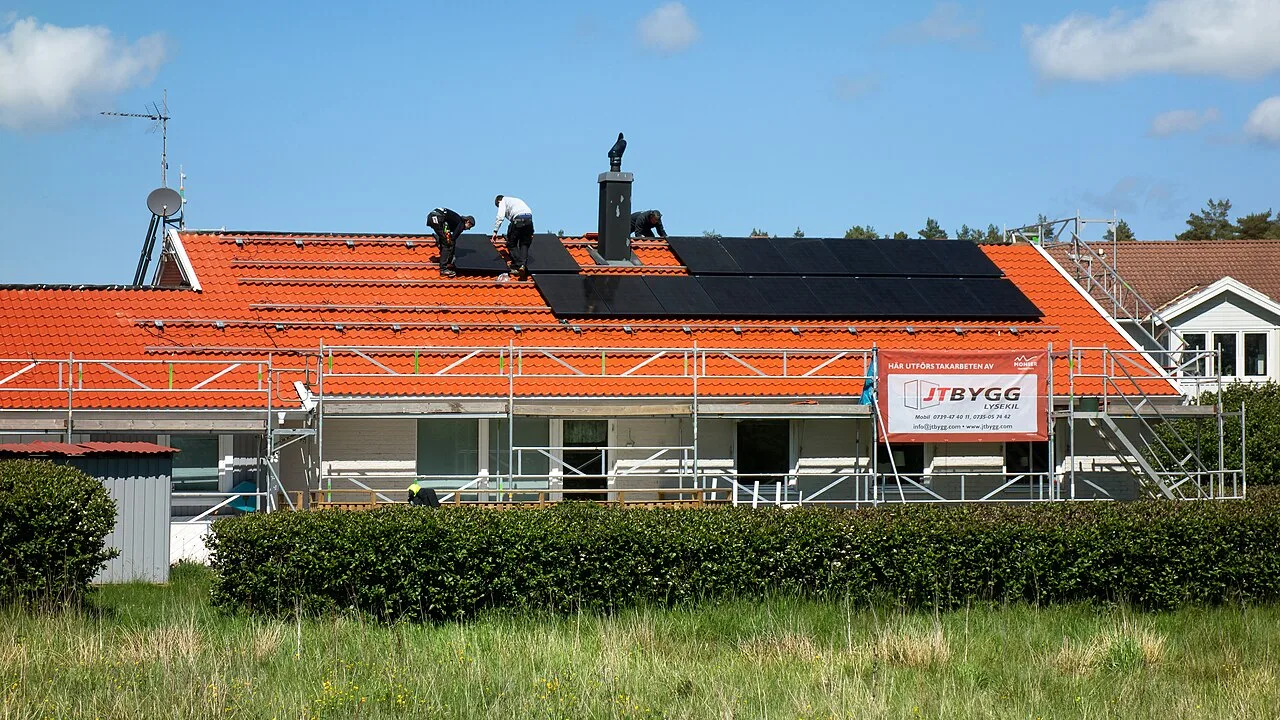
Not every performance problem shows an error code. Gradual output decline with no fault displayed is more often a maintenance issue. Panel soiling from dust, pollen, or bird droppings is one cause. Partial shading that developed as nearby trees grew is another. A single underperforming panel can also drag down its whole string in a series-wired configuration. Compare current production against the same calendar period in a prior year, accounting for weather. A flat expectation is the wrong baseline. Seasonal variation is normal and is easily mistaken for a fault.
When to Call a Technician
- Any 5xx/6xx internal fault code – not user-resolvable.
- A fault that recurs immediately after a safe external reset (power-cycling via the AC/DC disconnect, if your installer has confirmed this is safe for your specific situation).
- Any visible physical damage, unusual smell, or unusual noise from the unit.
- Persistent DC-side faults after confirming no obvious wiring or connector issue is visible externally.
- Any fault you’re not fully confident interpreting – a wrong guess risks void warranty coverage if unauthorized internal access is attempted.
Preventive Maintenance to Reduce Faults
Most residential and small-commercial Fronius installations need relatively little routine maintenance. Clean the panels periodically if soiling is visible. Keep vents and cooling paths on the inverter enclosure clear of dust and debris. Do an annual visual inspection of visible wiring and connectors. Keep the Solar.web app’s firmware and connectivity current so alerts actually reach you promptly. Scheduling this alongside a broader solar system maintenance routine (even for a grid-tied system) catches most issues before they become an outright fault code.
Fronius Product Line at a Glance
Fronius’s residential and commercial lineup spans several series, and knowing which one you have affects both troubleshooting steps and available features:
| Series | Typical Use | Notable Feature |
|---|---|---|
| Fronius Primo | Residential, single-phase, grid-tied only (no battery) | Simple, widely deployed single-phase residential line |
| Fronius Symo | Residential and light commercial, three-phase | Higher power range, common in mixed residential/small-commercial installs |
| Fronius GEN24 Plus | Residential and commercial, hybrid (battery-ready) | Built-in battery management and backup power capability |
| Fronius Eco / Tauro | Commercial and light utility-scale | Higher power output, three-phase, built for larger commercial arrays |
State codes and specific troubleshooting steps can vary slightly across these series. Always confirm which model you have before searching for a fix specific to your exact hardware. The model is visible on the unit’s nameplate or in the Solar.web app’s device info.
Firmware Updates and Why They Matter
Fronius periodically releases firmware updates addressing bugs, adding grid-compliance updates required by evolving utility interconnection standards, and occasionally adding new monitoring features. An inverter running outdated firmware can occasionally throw faults that a current version has already fixed. Checking for and applying an available firmware update is a reasonable early troubleshooting step. Updates are usually pushed automatically via the Datamanager’s internet connection, or can be triggered manually in Solar.web. Try this for an intermittent, hard-to-diagnose fault before assuming a hardware problem.
How Fronius Compares to Other Commercial-Grade Brands
Fronius has a long-standing reputation for build quality. Its service network is mature in markets where it has operated for years. Like any manufacturer, regional service response quality can still vary by market. Compared to alternatives like SMA, Sungrow, or Huawei covered in our commercial solar inverters guide, the practical differences for an end user are usually less about raw spec-sheet numbers (efficiency figures across major commercial-grade brands are broadly competitive) and more about regional parts/service availability, app and monitoring platform preference, and installer familiarity – ask your installer which brands they have the deepest service experience with locally, since that often matters more day-to-day than a half-percent efficiency difference on paper.
Reading the Status LEDs
Beyond the numeric state code shown on-screen, most Fronius units use LED indicators as a quick at-a-glance check. Green typically means normal operation, and red or orange means a fault state. Specific blink patterns signal certain conditions. This works without needing to open the app. A steady green LED with normal display readings generally confirms normal operation. A solid or blinking red or orange LED corresponds to whatever specific code is shown on the display or in the app. The LED alone is a quick health check. It is not a substitute for reading the actual code when troubleshooting a specific issue.
Using Historical Data to Diagnose Intermittent Issues
Solar.web retains historical production data, which is genuinely useful for diagnosing intermittent problems. These often show no active fault code at the moment you check. A recurring dip at a consistent time of day usually points to shading from a structure or tree that shifts with the sun’s seasonal position. A sudden step-change in typical output can indicate a failed string or panel. Comparing year-over-year data for the same calendar period helps separate a real problem from normal seasonal variation. Pull up several weeks or months of historical data before contacting support. That gives a technician much more to work with than a vague report that output seems lower than usual.
Warranty and Fault Claims
Fronius inverters typically ship with a base warranty (commonly 5-10 years depending on model and region, sometimes extendable) covering manufacturing defects and component failures under normal use. A warranty claim generally requires the fault to be diagnosed by a qualified installer or Fronius-authorized service technician. Unauthorized internal access, meaning a DIY repair attempt inside the enclosure, commonly voids coverage. That is the practical reason to route anything beyond a safe external reset through a professional, even for a seemingly minor issue.
What to Have Ready Before Contacting Support
Whether you contact your original installer or Fronius support directly, having a few things ready shortens diagnosis considerably. Have the exact state or error code and when it started. Have the inverter series and model, from the nameplate or app, plus the serial number. Note whether the fault is constant or intermittent. If the issue is a performance concern rather than an active fault, bring a screenshot or note of recent production history from Solar.web. Installers and support technicians can often narrow down a likely cause significantly faster with this information upfront than starting from a general symptom description.
Common Mistakes
- Opening the inverter enclosure to “check inside” – a serious safety risk and typically voids warranty; leave internal access to a qualified technician.
- Assuming every grid-related fault is the inverter’s fault – many reflect the utility grid, not the equipment.
- Confusing a monitoring/app outage with an actual production stoppage – verify actual production separately before escalating.
- Not recording the exact state code before calling for support – slows diagnosis considerably compared to having the specific number ready.
Frequently Asked Questions
Is it safe to reset a Fronius inverter myself?
A safe external reset (using the AC/DC disconnect switches as designed) is generally fine for many state codes, but always confirm with your installer or Fronius documentation for your specific model first – never open the enclosure itself.
Why does my Fronius inverter show as offline in the app but the lights are still on at home?
Most likely a networking/communication issue (wifi, router, or Datamanager card), not an actual production stoppage – check your physical display or actual energy usage to confirm production is still happening before assuming a fault.
How often do Fronius inverters typically need service?
Well-maintained units often run years without a service call beyond routine maintenance, though like any electronics, component-level faults become more likely as a unit approaches or passes the 10-15 year mark.
Does a grid-related fault mean my utility has a problem?
Sometimes – an occasional brief grid fault is normal and not worth reporting, but frequent recurring faults at consistent times may indicate a genuine local grid-quality issue worth flagging to your utility.
Where can I find the exact meaning of my specific Fronius state code?
Fronius publishes official state/error code documentation, and your original installer should also have model-specific reference material – always cross-check the exact code rather than relying on general category descriptions like the ones in this guide.
Which Fronius model do I have?
Check the nameplate on the physical unit or the device info section of the Solar.web monitoring app – series (Primo, Symo, GEN24, Eco/Tauro) affects which specific troubleshooting steps and features apply.
Can outdated firmware cause fault codes?
Yes – checking for and applying an available firmware update is a reasonable early step for an intermittent fault, since Fronius periodically ships bug fixes and grid-compliance updates that resolve certain issues without any hardware change.
Does a Fronius warranty claim require the original installer?
Not always the original installer specifically, but generally a qualified/authorized technician – unauthorized DIY internal repair typically voids coverage, so route any claim through a professional rather than attempting it yourself.
What information should I have ready before calling for support?
The exact state/error code, inverter series/model and serial number, whether the fault is constant or intermittent, and recent production history from Solar.web if it’s a performance concern rather than an active fault code.
Conclusion
Most Fronius inverter issues fall into a handful of categories. Startup and standby states are normal. Grid-related faults are often utility-side. Communication dropouts are a networking issue, not a production issue. Internal faults are technician-only. Correctly categorizing which one you are seeing before calling for support saves real time. For broader inverter selection guidance, see our commercial solar inverters guide and best hybrid solar inverter guide.
Further reading: Wikipedia – Solar inverter and U.S. Department of Energy – Solar Integration: Inverters and Grid Services Basics.
Our troubleshooting off-grid solar guide works through the details.
Related Posts

Leave a Comment
Your comment will be published after it has been approved. Please send comments that do not contain slang words.